Showing posts with label Secret. Show all posts

Wednesday, October 23, 2013

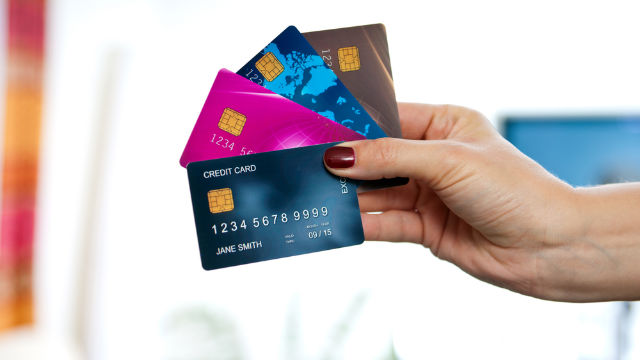
4 secrets credit card companies don't want you to know

HANDLE WITH CARE. Used indiscriminately, your credit card can easily become your liabilityHANDLE WITH CARE. Used indiscriminately, your credit card can easily become your liability
MANILA, Philippines - Contrary to popular belief, a credit card is not your free money. It's a piece of plastic that promises to pay your purchases at a later date. Think of it as your loan – your utang. Before you get one, it's highly recommended that you establish your own emergency fund first.


Now, I know you probably don't want to hear this, but not all credit-card companies want you to pay your loans as soon as possible. Sometimes, they want you to delay your payment so they can charge you a higher interest rate. Some companies may view you as a money machine instead of as a lovely customer. Sadly, some – not all – are there purely for the money. Gasp!
What's a 20-something like you to do, then? If some credit-card companies don't make the effort to disclose the fine print or reveal your privileges, then read up. It's for the good of your sanity and your bank account balance:
1. You can fire them if you want to.
You're still your credit-card company's boss. So if you've been a loyal and responsible customer, you can actually call them up and negotiate your current interest rate. You can tell them about your clean track record – you pay in full and in time – and nicely ask them to lower your interest rate.
Hey, you can even tell them about their competition's current rate! You can say that your new card can offer a lower rate and can even give you freebies such as a free Despicable Me! Minion keychain or a free meal at a nice restaurant.
Tell them you'd really like to keep their card, but if they can't offer you better terms, you might be “forced” to switch. It doesn't hurt to try this.
2. They need you more than you need them.
Competition in this credit-card market is tough – this is why a lot of them display enticing advertisements and give out lots of freebies, right? This is why you get spam emails on credit-card applications. This is why a well-dressed credit-card representative gives you brochures and even asks for your contact information right on the get-go.
That said, if you just do your part and be a great customer, you can negotiate for almost everything!
Yes, you can negotiate your card's annual fee. You can even have it waived.
Yes, you can negotiate a late fee, provided that you've been paying in full and in time every time.
Yes, you can even change your due date to the date of your convenience.
3. The teaser rate isn't going to be permanent.
Getting a credit card is like getting married. At the early stages, you're so happy and so satisfied with your spouse – everything about him is perfect! His hair, his abs, and even his cute dimple on his cheek. After 6 months has passed, then, boom! You think his hair is baduy, his abs are only one-pack, and his cute dimple looks like a worm.
This is the teaser rate that credit card companies give you if you “sign up now.” In the beginning, you'll enjoy low interest rates. After 6 months, when you're already in a fixed contract, they'll increase the interest rate to immense amounts! (Naturally, you can't protest because this is included in the fine print that you never bothered to read because it made your nose bleed).
4. You're allowed to pay only the minimum charge so that your interest will be maximized.
Let's say you have a balance of P 15,000 on your credit card right now.
You can pay only 1% up to 5% of that, because this range is computed as the minimum payment. Therefore, you can just pay as little as P 150 to P 750 only.
Ayos! Deal! You already paid the minumum due so you've paid everything, right?
Wrong.
If you pay only the minimum amount due, the remaining balance will be carried over to the next statement.
So, if you've paid P 750 right now, you still have a loan of P 14,250, yes?
No.
You will also be charged another interest on the remaining balance.
The more minimum amount you pay, the higher your total payment will be in the future.
If you can afford to pay the total balance in full and on time, then go! Enjoy – you can even take advantage of the freebies!
If you can't, then no! You'll get stuck in a difficult debt cycle.

Think twice before you swipe that credit card. Your sanity and wallet will thank you for it.
credit: LIANNE LAROYA

Tuesday, September 24, 2013

Windows 8 Tricks You Don’t Know About !

When Microsoft released Windows 8 last year, a lot of PC users went “Meh!” It was the most radical change to the Windows interface we all came to love. With many of the controls for launching programs and accessing settings tucked away, many deemed it as a flop especially in the ‘ease of use’ department.
Today i am going to show you 4 awesome Windows 8 Tricks, That you might not have heard of.
Windows 8 Tricks

4 Awesome Windows 8 Tricks


However, with a few tricks, Windows 8 can be just as awesome as XP and Windows 7 – two of the easiest and most stable versions of the operating system. Here are a few:

1.Enable Metro-Style Internet Explorer To Play Flash Content:

Windows 8 comes with two versions of IE – one is on the Classic desktop and the other one is on the Metro interface. The problem with the latter is that it won’t play flash content if the website it’s on is not listed on Microsoft’s list of trusted websites.
You can wait for Microsoft to update their compatibility list and add your site (don’t hold your breath though). Or you can follow these instructions:
First, go to C:\Users\(Your User Folder)\AppData\Local\Microsoft\Internet Explorer\IECompatData. Next, find the XML file named “iecompdata”, and open it with a text editor. Find the line of code which starts with the entry “Flash”, enter the URL of the website, save the changes to the XML file, and delete Metro IE’s browser history.
Once the site is added, you can now play or use its flash content with Metro IE.

2.Simultaneously Use Windows 8 Apps And The Classic Desktop:

Let’s say you’re using dual monitors. The operating system automatically uses the main screen while the secondary screen hosts the desktop. This setup makes full-screen multitasking on both interfaces a lot easier – Windows 8 apps for the main screen and desktop for the secondary screen, perfect?
In paper, it’s all good. However, as soon as you start using the desktop, the main screen’s Windows 8 apps disappear and switches to desktop!
However, there’s a workaround. On your main monitor, use Windows 8’s split-screen ‘snapping’ feature to run the desktop and a Windows 8 Store app together. It looks silly at first since the desktop takes up a very small slice of the screen’s left side while the app takes up the rest.
However, after you set and use your secondary monitor for a full desktop view, viola! You now have an arrangement where a Windows 8 app and the desktop can peacefully coexist. Not to mention both windows are spacious enough to use.

3.How To Create A Picture Password

Want to keep your PC secure without setting up a complex password that you can vaguely remember? No problem! In Windows 8, you can create a picture password to keep your system secure minus the hassle of trying to remember which special characters you used.
Here’s how: First, press the Windows Key + I combination. This will take you to the settings charm. Next, proceed to “Change PC Settings” located at the bottom right of the window and go to the Users Tab.
Under “Sign-In Options”, click the “Create A Picture Password Button”. You will now be asked to choose any picture and define three gestures anywhere on it. It can be any combination of circles, swipes, or clicks. After confirming it, the picture password will be set.
Take note, the gestures do matter so remember them well. So maybe you can’t really get away from remembering stuff when accessing your PC? But hey, that’s a lot easier than trying to recall a 12-character password!

4.Give Your Windows 8 A “Hot & Fresh From The Factory” Feeling :

If Windows feels a little too slow for convenience, you can perform a Refresh. In the previous versions of Windows, you have to backup all of your files, device drivers, etc. before you can perform a fresh install.
It’s time-consuming and it’s tedious!
Not with Windows 8. You can perform a refresh without the need for backing up your data. First, go to Settings and click the tab “Change PC Settings”. Go to the “General” tab in the next window, and you should find the “Refresh Your PC Without Affecting Your Files” section.
Select “Get Started” and hit “Refresh”. Sit back, grab a cup of coffee, and relax. After a few minutes, your PC will restart and you now have a refresh and reinvigorated Windows 8!
Credit: smarttricks.net